· Milos L. · 7 min read
How to Get Google Reviews as a Contractor
Most contractors do great work but have almost no Google reviews to show for it. Here's a simple, repeatable system that actually gets them.
I met an HVAC contractor at a networking event last fall. Fifteen years in business, more referrals than he could handle, genuinely proud of his work. I pulled up his Google profile on my phone while we were talking. Three reviews. His main competitor across town had sixty-two.
He knew it was a problem. He just didn’t have a system.
This is the most common situation I run into with home service contractors. Great at the work. No process for capturing the evidence of it. And the gap between three reviews and sixty-two isn’t a gap in quality. It’s a gap in habit.
Here’s how to get more Google reviews as a contractor who shows up at someone’s home, fixes something, and moves on to the next job, without breaking the two rules that can get a profile in trouble.
Why Timing Is Everything
The moment a customer sees their problem is fixed, they feel something. Relief, mostly. Gratitude. A general warmth toward whoever just made their life easier. That feeling is real, and it lasts about an hour.
A week later when your invoice hits their inbox, they feel nothing. The emergency is over. Life moved on. Asking for a review at that point means asking them to reconstruct an emotion they’ve already let go of.
This is why so many contractors send review requests in follow-up emails and get almost nothing back. The timing is wrong. The window for a genuine, enthusiastic review closes fast.
The ask needs to happen at job completion. Not in a follow-up. Not in the invoice. Right there, while you’re packing up your tools and the furnace is running again.
Get Your Review Link and QR Code First
Without a direct link, you’re asking customers to find your business on Google, open your profile, find the reviews, and then write something. Most people quit somewhere in that chain.
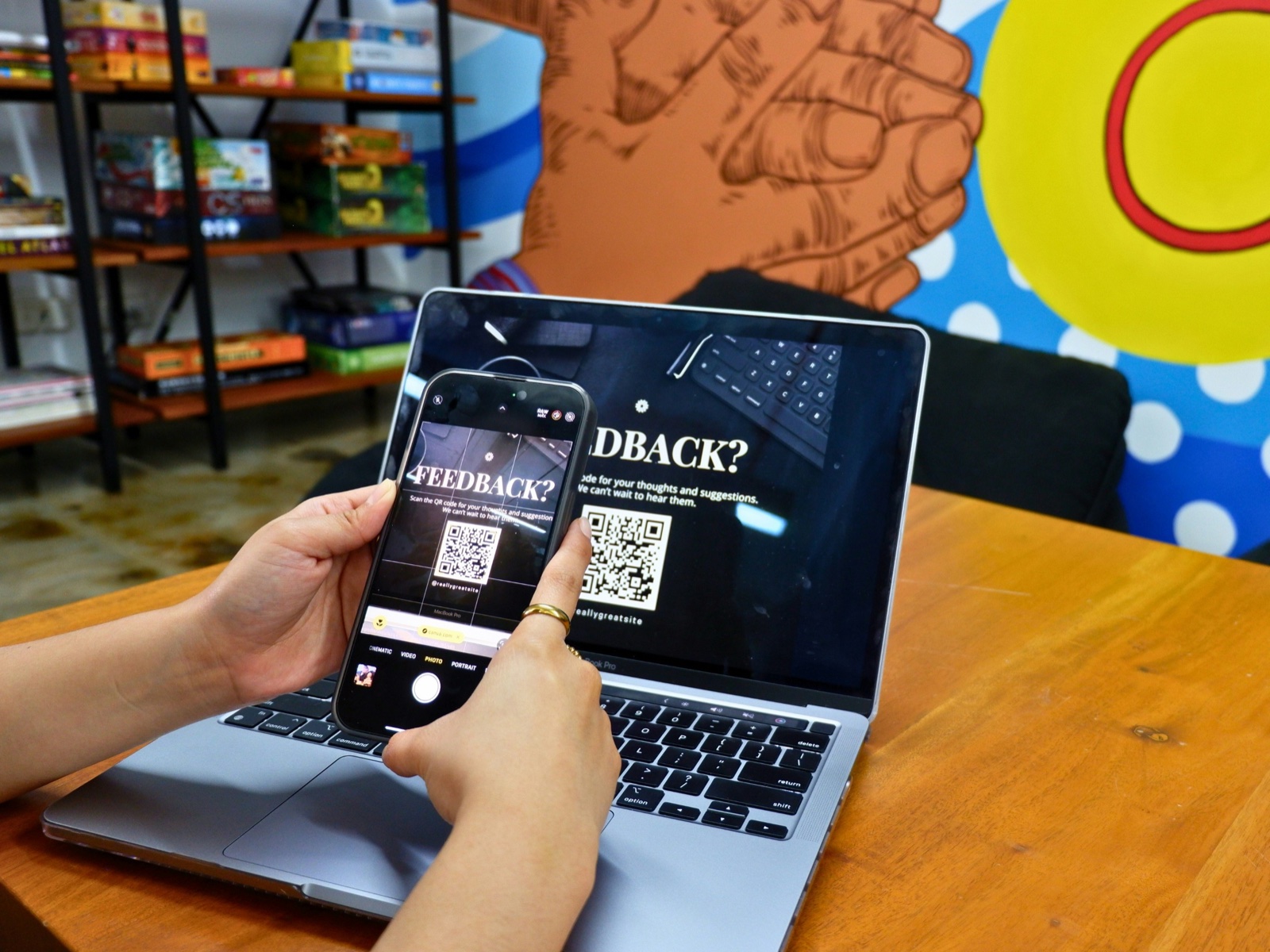
Open your Business Profile and look for the option to ask for reviews. Google gives you a short link that drops people straight onto your review form, and Google’s own help page on getting more reviews offers the same thing as a QR code. Copy the link and save it somewhere you can pull up in under ten seconds. A saved text draft on your phone works fine.
Then put the QR code where the customer already looks. Print it on the invoice you leave behind and on the back of your business card. If you already stick a service label on the water heater or the furnace, add the code there too, so the next time the homeowner glances at the unit, the review form is one scan away.
That link and that code are the whole infrastructure. Everything else is knowing when to use them.
What to Actually Say
It doesn’t need to be a speech. Short works better here.
If you’re wrapping up and the customer is standing right there, mention it once. Something like: “Really glad we got that sorted out for you. If you’re happy with the work, a Google review would genuinely help us. I’ll text you a direct link so it takes about a minute.” Send the link before you pull out of the driveway, then let it go. Google’s review policy tells businesses not to pressure people into writing reviews while they’re on the premises, and hovering in someone’s kitchen waiting for five stars is close enough to count.
If you’re going straight to text, keep it brief and specific:
“Hey [name], glad we could take care of the [problem] today. If you have a minute, a Google review would really help the business. Here’s the direct link: [link]. Thanks.”
That’s it. You’re using their name, referencing the specific job, giving them the link, and asking once. The specific reference signals that this isn’t a mass blast to your entire contact list. It feels personal because it is.
Text gets opened faster than email right after a service call. Either works, as long as it goes out within an hour of finishing the job.
Ask Every Customer the Same Way
A lot of review advice, including an earlier version of this article, says to skip the jobs that had friction and only ask the customers who seemed thrilled. Don’t. Google’s review policy lists “selectively solicit positive reviews from customers” as rating manipulation, right next to discouraging negative reviews.
So make the ask part of how every job closes out, with the same message to every customer. If a job went sideways, fix it first. Call them back, make it right, and then send the same text you send everyone else. That customer’s review describes what you did when something went wrong, which is exactly what a nervous homeowner wants to know before they call you.
Two other lines not to cross. Don’t offer anything for a review, whether it’s a discount on the next service call or a gift card. Google treats incentives for reviews as fake engagement and prohibits them outright. The FTC’s rule banning fake reviews, in effect since October 2024, also bans incentives conditioned on a review saying something positive or negative.
When a bad review lands anyway, reply the same day if you can. Keep it short, acknowledge the problem, and give them a direct way to reach you. That reply is really for everyone who reads it later. I wrote a separate piece on how to respond to negative Google reviews, with replies you can adapt for the complaints contractors get most.
How Electricians Should Ask for Google Reviews
Electricians have a harder version of this. Once the cover plate is back on, the homeowner can’t see what you did or judge whether you did it well. So the ask has to land right after the moment something visible happens. The power comes back on, the panel gets labeled, the EV charger starts charging, or the inspector signs off.
That moment is short. “Glad we got your power back on tonight” gets a review. “Following up on your recent service” three days later gets ignored.
The review text matters more for electricians, too. A homeowner can’t evaluate wiring, so they read what other customers say about how you explained the problem, whether you cleaned up, and whether the price matched the quote. You can’t script what people write, and Google’s policy flags businesses that have staff ask for reviews with specific content. What you can do is the kind of job worth describing, and then make sure every customer gets the link.
How Many Google Reviews Do You Actually Need?
More than you think, and newer than you think.
BrightLocal’s 2026 consumer survey of 1,002 US adults found 41% always read reviews when looking at a business, up from 29% a year earlier. In the same survey, 74% said they look for reviews from the last three months, and 31% will only use a business rated 4.5 stars or higher.
So there’s no finish line. A pile of reviews from 2023 reads like a business that used to be busy. The goal is a steady pace. If you ask after every job and one in four customers leaves a review, twenty jobs a month gets you five new reviews. Over a year that’s sixty reviews spread across twelve months, and there’s always something recent at the top of your profile.
That’s how a fifteen-year business starts to look like sixty-two reviews.
Reviews Are One Part of How Local Search Works
Google uses reviews as a local ranking signal. The count matters, and so do how recent they are and what they say. Reviews that naturally mention your service and your town, things like “fast water heater replacement in Naperville,” give Google more to match against specific searches. If you run an HVAC company or a plumbing business, those reviews compound the local SEO work your website is already doing.
Reviews live on your Google Business Profile, which is where most homeowners see them first, so a finished profile and a steady review habit work as a pair. If you run paid leads through Google, your rating and review count also feed how often Google Local Services Ads show your business.
And if you’ve been pouring hours into Instagram instead, read whether social media is worth it for contractors before you post another video.
If you’re starting from scratch and want your website and Google Business Profile set up properly from day one, that’s exactly what our flat-rate website plans include.
Frequently Asked Questions
How many Google reviews does a contractor need?
There's no fixed number, because recency counts as much as volume. BrightLocal's 2026 consumer survey found 74% of people look for reviews from the last three months, and 31% will only use a business rated 4.5 stars or higher. A steady pace beats a one-time push. If you ask after every job and one in four customers leaves a review, twenty jobs a month produces five new reviews, or about sixty a year, with recent ones always sitting at the top of your profile.
Can I offer customers a discount for leaving a Google review?
No. Google's review policy treats incentives such as payment, discounts, or free services in exchange for a review as rating manipulation and prohibits them. The FTC's rule on fake reviews, in effect since October 2024, separately bans incentives conditioned on a review saying something positive or negative. The safe approach is to ask every customer the same way, with a direct link or a QR code, and offer nothing in return except the work you already did.
Is it okay to only ask happy customers for Google reviews?
No. Google's review policy lists selectively soliciting positive reviews as rating manipulation. Make the request part of how every job closes out, and send the same message to every customer. If a job went badly, fix the problem first, then send the same link you send everyone. BrightLocal's 2026 survey found 80% of people are more likely to use a business that replies to all of its reviews, so a calm reply to the occasional bad one does more for you than filtering who gets asked.
Should contractors ask for Google reviews by text or email?
Text, in most cases, sent within an hour of finishing the job. Text gets opened faster than email right after a service call, and the customer still remembers the relief of having the problem fixed. Use their name, mention the specific job, include the direct review link, and ask once. A QR code printed on the invoice or on the service label you leave on the equipment catches the customers who never get around to the text.